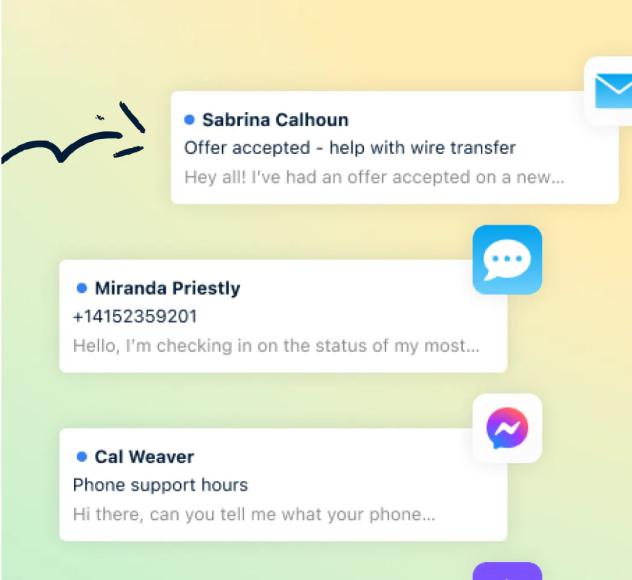

Mastering Email Management: Techniques for a Clutter Free Inbox
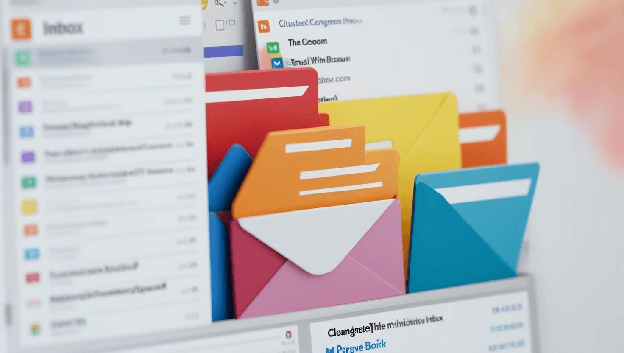
The Art of Email Management: Say Goodbye to Inbox Overwhelm
In today’s world, email stands as one of the primary modes of communication, connecting us instantly with colleagues, clients, friends, and family. Yet, it can easily become overwhelming, a sprawling digital jungle of unread messages, urgent requests, promotional materials, newsletters, and spam. If you’ve ever found yourself dreading opening your inbox each morning, you’re certainly not alone. Managing email efficiently is no longer just about saving time—it’s about reducing stress, staying organized, and ensuring that important information never slips through the cracks.
In this comprehensive guide, we’ll delve deep into the art and science of effective email management. By the end, you’ll have a toolkit of strategies to maintain a clutter-free inbox, allowing you to focus on what truly matters. We’ll explore how to systematically process messages, how to create a clear organizational structure, how to use filters and rules to your advantage, and how to avoid the trap of checking email every five minutes. Along the way, we’ll share tips from productivity experts and highlight the tools and techniques that can help you transform your inbox from a digital dumping ground into a smoothly running communication machine.

The High Cost of Email Overload
Let’s start by understanding the problem. Email overload isn’t just a minor annoyance—it has real consequences. Every moment you spend sifting through spam or hunting for important messages buried deep in your inbox is a moment lost to more meaningful tasks. Constant email interruptions can break your concentration, forcing you to pick up the pieces of your productivity each time you return to your primary work. Over weeks and months, this can add up to significant stress, reduced creativity, and poor decision-making.
We live in an era of information abundance. An average professional might receive anywhere from 50 to 200 emails per day, if not more. Many of these are trivial: promotional offers, social media notifications, or newsletters you might have signed up for years ago. Others are crucial: client instructions, sensitive reports, or deadlines. Without a solid system in place, it’s easy for important messages to get lost in the noise.

This problem worsens as emails accumulate. The longer you wait to process them, the more intimidating your inbox becomes, leading to procrastination and anxiety. But it doesn’t have to be this way. By understanding why we get stuck and by applying tried-and-true techniques, you can regain control over your inbox and turn it into a powerful ally rather than a source of stress.
Step 1: Define Your Inbox Philosophy
Before diving into tactics, reflect on your relationship with email. Ask yourself:
- What role does email play in my work and personal life?
- How often do I truly need to check my inbox?
- Do I treat my email like a to-do list, or do I try to handle it as soon as it arrives?
By setting a clear philosophy or “mission statement” for your inbox, you give yourself guidelines for how you’ll manage it. For example, you might decide that your inbox is not a holding area, but rather a temporary collection space for new messages that you’ll promptly process and remove. Or you might decide that you’ll only check your inbox at fixed intervals during the day, rather than every time a notification pops up.
Your inbox philosophy should reflect your work style, responsibilities, and what makes you feel most in control. An example might be: “I will only check email three times a day—morning, midday, and late afternoon—and at each check, I will process new messages fully, so my inbox returns to near-zero by day’s end.” This kind of statement sets a clear direction, making it easier to choose the right tactics moving forward.
Step 2: Achieving Inbox Zero—or the Next Best Thing
“Inbox Zero” is a popular concept coined by productivity expert Merlin Mann, which focuses on keeping your inbox empty or nearly empty most of the time. The philosophy behind Inbox Zero is that your inbox is not a storage unit, but a processing station. When a new email arrives, you decide whether to do something with it immediately, delegate it, schedule it for later, delete it, or archive it.
If the idea of an empty inbox sounds unattainable, think of Inbox Zero as a guiding principle rather than a strict rule. The goal isn’t perfection—it’s to minimize clutter so that you always know what needs your attention. Even if you don’t reach zero, reducing your unread messages from thousands to a manageable handful can significantly reduce stress.
Step 3: The Art of Quick Triage
One of the most critical skills in email management is the art of triage: quickly sorting new messages into categories. Just as emergency room doctors triage patients, identifying who needs immediate attention and who can wait, you can triage emails to decide what action they require. Every time you open your inbox, categorize each message as one of the following:
- Delete/Archive: Not every email deserves your time or mental space. If it’s not relevant, archive or delete it immediately. For routine newsletters or promotions, consider unsubscribing.
- Delegate: If someone else can handle the email’s request, forward it to them right away.
- Do (if it takes less than two minutes): If a response or action can be completed quickly, do it immediately and then archive.
- Defer: If the email requires a longer response or more thought, move it into a separate folder or add it to your task manager. Schedule time to handle it later.
By following this approach, you avoid letting emails sit idle in your inbox. Each one finds its place, either resolved immediately or saved in a designated spot for future work.
Step 4: Building a Simple Folder Structure
A clutter-free inbox relies on a logical, minimal folder structure. Resist the urge to create hundreds of nested folders and subfolders. Instead, aim for a system that helps you quickly find what you need without requiring hours of manual sorting.
A common and effective approach might be:
- Inbox: For new and unprocessed messages only.
- Action/To-Do: For emails that require follow-up or a longer response.
- Waiting/Follow-Up: For messages you’ve delegated or are waiting on a response from someone else.
- Reference/Archive: For emails you might need to find later, such as contracts, proposals, and important documents.
This simple structure ensures every message has a proper place. Instead of leaving everything in your inbox, you can drag and drop messages into the appropriate folder immediately after reading them.
Step 5: Using Filters, Rules, and Smart Features
Most email clients and services offer powerful tools to help automate your inbox. Filters, rules, and smart folders can sort incoming email before you even see it. For example, if you consistently receive newsletters or updates from a certain source, create a rule that moves those messages into a “Newsletters” folder. This way, they never clutter your main inbox, and you can read them at your leisure.
Similarly, if you work closely with certain clients, you can create a rule to highlight or star any incoming message from them, ensuring important emails never get lost. Take time to explore your email client’s capabilities. Gmail, Outlook, Apple Mail, and other platforms offer extensive customization options that can transform how you interact with messages.
Step 6: The Power of Search and Archiving
One reason people hesitate to archive emails is the fear they won’t be able to find them later. But modern email clients have powerful search functions that let you retrieve old messages in seconds. Rather than painstakingly organizing everything into perfect folders, trust the search feature. If you need an old invoice from a specific client, typing a keyword into the search bar is usually faster than digging through countless folders.
Archiving is your friend. It removes messages from your inbox view without deleting them, freeing you from visual clutter. The more you trust search and archiving, the less time you’ll spend maintaining an intricate folder system.
Step 7: Scheduling Specific Email Times
Constantly checking email is a productivity killer. Every time you break your concentration to peek at your inbox, you lose momentum. Instead, set specific times during the day to check and process email. For instance, you might commit to checking email first thing in the morning, right after lunch, and once more before wrapping up for the day.
During these email sessions, apply the triage method and aim to return your inbox to near-zero. By batching your email time, you ensure that you’re dedicating focused energy to communication while preserving stretches of distraction-free time for deep work.
Step 8: Communicating Your Email Policies
Sometimes, email overload isn’t just about how you manage your inbox—it’s about how others communicate with you. If you find that your inbox is overflowing because colleagues email you constantly for minor updates, consider setting some ground rules. You might:
- Mention in your email signature when you typically check email, so people know when to expect a response.
- Use collaboration tools like project management software or chat apps for routine discussions, reserving email for more formal or important communications.
- Politely encourage senders to consolidate their requests rather than sending multiple fragmented emails.
By guiding others on how to communicate with you, you reduce the likelihood of constant interruptions and clutter.
Step 9: Unsubscribing and Managing Newsletters
Newsletters, promotions, and notification emails can easily bury important messages. Take time to unsubscribe from anything you no longer find valuable. Your inbox should reflect the communication you need, not an ongoing feed of advertisements and irrelevant announcements.
If you’re hesitant to unsubscribe because you might miss something, try using a tool like Unroll.me or SaneBox (if supported in your region and allowed by your company policies) to compile these emails into a single digest. That way, you can quickly scan them once a day or once a week, rather than dealing with each one separately.

Step 10: Mobile Management and Quick Actions
Email doesn’t just live on your desktop or laptop anymore—it’s on your phone, tablet, and even smartwatch. While mobile access can increase convenience, it can also lead to constant interruptions. To avoid this, consider turning off push notifications for email on your phone. Instead, check email only when you choose.
When you do open your email on a mobile device, apply quick triage. Delete or archive anything that’s obviously unnecessary, and star or flag urgent items for later attention on your computer. This way, when you return to your primary workspace, you’ve already done some of the filtering work.
Step 11: Mastering Email Etiquette
Effective email management isn’t just about how you handle incoming messages—it’s about how you send them. Clear, concise emails reduce back-and-forth and help recipients understand what’s needed. Follow these guidelines:
- Use descriptive subject lines: Let the recipient know what the email is about at a glance.
- Keep it brief: Respect people’s time by getting to the point quickly.
- Use bullet points: Make your message easier to scan and comprehend.
- Specify requests and deadlines: If you need a reply by a certain time, make that clear.
When your emails are well-structured, you’ll receive better responses, which in turn reduces the chances of confusion and clutter in your inbox.
Step 12: Harnessing Email Productivity Tools
There are numerous tools designed to help you tame your inbox and streamline communication. Some popular ones include:
- Boomerang (for Gmail and Outlook): Lets you schedule emails, set follow-up reminders, and temporarily hide messages.
- Spark (Email Client): Offers intelligent prioritization, collaboration features, and smart inbox sorting.
- Sanebox: Helps you filter incoming email, sending low-priority messages into a separate folder.
- Newton Mail: Features read receipts, send later options, and tidy inbox tools.
Experiment with different tools and find the one that aligns best with your workflow. While technology alone won’t fix your inbox woes, it can be a powerful ally when combined with the right habits.

Step 13: Developing Consistency and Discipline
At the end of the day, email management is a habit. Just like exercising regularly or eating healthy, maintaining a clutter-free inbox requires consistency. You can’t just set rules and ignore them. Make it a daily or weekly practice to clean up your inbox, review filters, and adjust your approach as needed.
Celebrate small victories. If you’ve gone from thousands of unread messages to a few dozen, that’s progress! Over time, as you stick to the principles of triage, folder organization, and scheduled check-ins, your inbox will become a space of clarity rather than chaos.
Step 14: Reflecting and Adjusting Your System
No system is perfect, and what works for one person might not work for another. Regularly assess your email management strategy. Are you still feeling overwhelmed? Maybe you need to be more aggressive with unsubscribing or automate more processes with filters. Are you finding it difficult to keep up with your three-times-a-day checking rule? Perhaps try twice a day or once every two hours, depending on the nature of your job.
Feedback loops are essential. Listen to your stress levels, your productivity metrics, and even feedback from colleagues on how responsive and organized you appear via email. Fine-tune your approach until you strike a balance that feels right.
Step 15: The Ultimate Payoff: Peace of Mind
Imagine starting your day with a quick 10-minute email triage, responding to anything urgent, archiving what’s irrelevant, and filing away the rest. Then, you dive into your most important work without the nagging feeling of an email avalanche waiting for you. Later, you check email again, spend a few minutes processing new messages, and get right back to your day.
This is the payoff of mastering email management. You’ll no longer be a slave to your inbox. Instead, your inbox will become a tool—one that delivers the information you need, when you need it, without drowning you in noise.
As you free up mental space previously occupied by email stress, you’ll notice improvements in other areas of your life. Your concentration will sharpen, your creativity will flourish, and your relationships will benefit from your calm, focused presence. All because you took the time to put your digital house in order.
Conclusion
Your inbox doesn’t have to be an uncontrollable monster. By adopting a clear philosophy, practicing triage, using folders wisely, harnessing filters and search, scheduling email time, and continuously refining your system, you can create an environment in which email serves you rather than the other way around.
Remember, the goal isn’t just a tidy inbox—it’s the mental clarity and productivity that come from knowing you’re on top of your digital communication. The techniques outlined here are a starting point. Experiment, adjust, and personalize these strategies until you find a system that allows you to master your email once and for all. With patience and consistency, you’ll achieve a clutter-free inbox—and a clutter-free mind.